 Eventra
Live moments, memories forever.
Create Your Event Website & Go Live
Beautiful event websites for weddings, birthdays, religious events and more. Share it with everyone, and livestream from your phone soon.
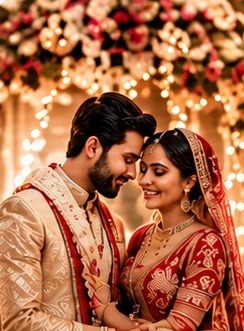




- PPriyaBeautiful! ❤️
- RRahulAmazing event! 🎉
- SSnehaCongratulations! ❤️
- Beautiful TemplatesProfessional designs for every occasion
- Live StreamingBroadcast from any device
- Easy to UseCreate in minutes
- Share with EveryoneInvite family and friends
- Access AnywhereWatch on phone, tablet or laptop
How it works
Your event website in 4 easy steps
No design or coding skills needed.
- 1
Choose your event
Wedding, birthday, pooja or any celebration.
- 2
Add details and pick a design
Names, date, venue and a template you like.
- 3
Share the link
Send it on WhatsApp or print the QR code. Guests need no app.
- 4
Go live
Stream from your phone. Guests watch on the website.
No sign-up needed
Event categories
For every kind of celebration
Choose the perfect event type and start creating unforgettable experiences with Eventra.
- 💍WeddingMake your special day truly unforgettable.
- 🎂BirthdayCelebrate another year of amazing you.
 🥂AnniversaryCherish your beautiful journey together.
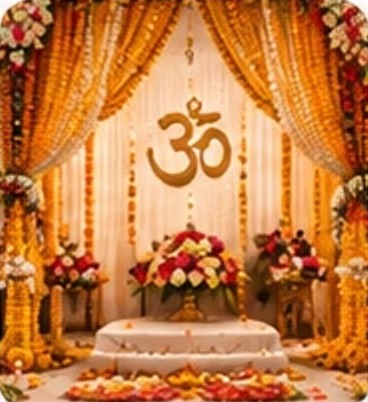 🕉️Religious EventBring everyone together in devotion.
- 🏢Corporate EventProfessional events made seamless.
- 🎤ConcertLive moments that create lifelong memories.
- 🎓GraduationCelebrate new beginnings.
 🎉OtherAny event, any occasion.
Beautiful templates
Elegant Wedding
Large photography, romantic serif typography.
Modern Celebration
Bold gradients, clean cards, contemporary type.
Minimal
Whitespace and strong typography.
Classic
Deep navy and gold, timeless and formal.
FAQ
Questions people ask
Quick answers about Eventra.
What is Eventra?
Eventra lets you create a beautiful website for your wedding, birthday, pooja or any celebration in minutes. You share one link or QR code with your guests, and you can even go live from your phone so people who cannot come can watch.
Do my guests need an account or an app?
No. Guests open your link in their phone or computer browser and watch. They do not sign up and do not install anything.
Is it really free to start?
Yes. The Free package gives you the event website, share link, QR code, a live stream for up to 20 viewers for 1 hour, and 1 GB for photos and your invitation card. Paid packages add more viewers, more live time and more storage.
How much do the paid packages cost?
Per event, before 18% GST: Starter ₹499, Basic ₹999, Pro ₹2,999 and Premium ₹7,999. For very large events such as festivals and temples, we send a quote. See the Pricing page for what each package includes.
How do I pay, and when does my package start?
Choose a package on the Pricing page and message us on WhatsApp. We share the payment details, you pay by UPI, and once we confirm your payment we switch on the package on your account. There is no online card payment yet, so we do this by hand.
How do I go live?
In your dashboard, tap Go Live on your event, then press Start Live. Allow the camera and microphone when your browser asks. Guests watch on your event page. On a phone, open the secure (https) link so the camera works.